CoinTracking Quick Start Guide
Get started as easily as possible: we'll show you step by step how to set up your account, import your transactions, and create your first tax-compliant report. Stay in control of your portfolio and avoid common tax mistakes right from the start.

Step 1: Import Your Transactions
Choose the exchange, wallet or blockchain you want to connect. Start with the platform you use most — that gives you a solid foundation in your dashboard straight away. You can also enter transactions by hand at any time.
Pick the exchange, wallet or blockchain
Search for the platform you want to connect and CoinTracking shows you exactly how to link it. With support for hundreds of exchanges, wallets and blockchains, chances are yours is already there.

API Import
Connect your wallets or exchanges directly via API. CoinTracking imports all your transactions automatically and keeps them up to date — so you set it up once and it stays current.

CSV Import
Export CSV files from your exchanges and upload them into CoinTracking. A good option whenever a platform offers no API, or you want to bring in older history.

Step 2: Stay on Top of Your Portfolio & Gains
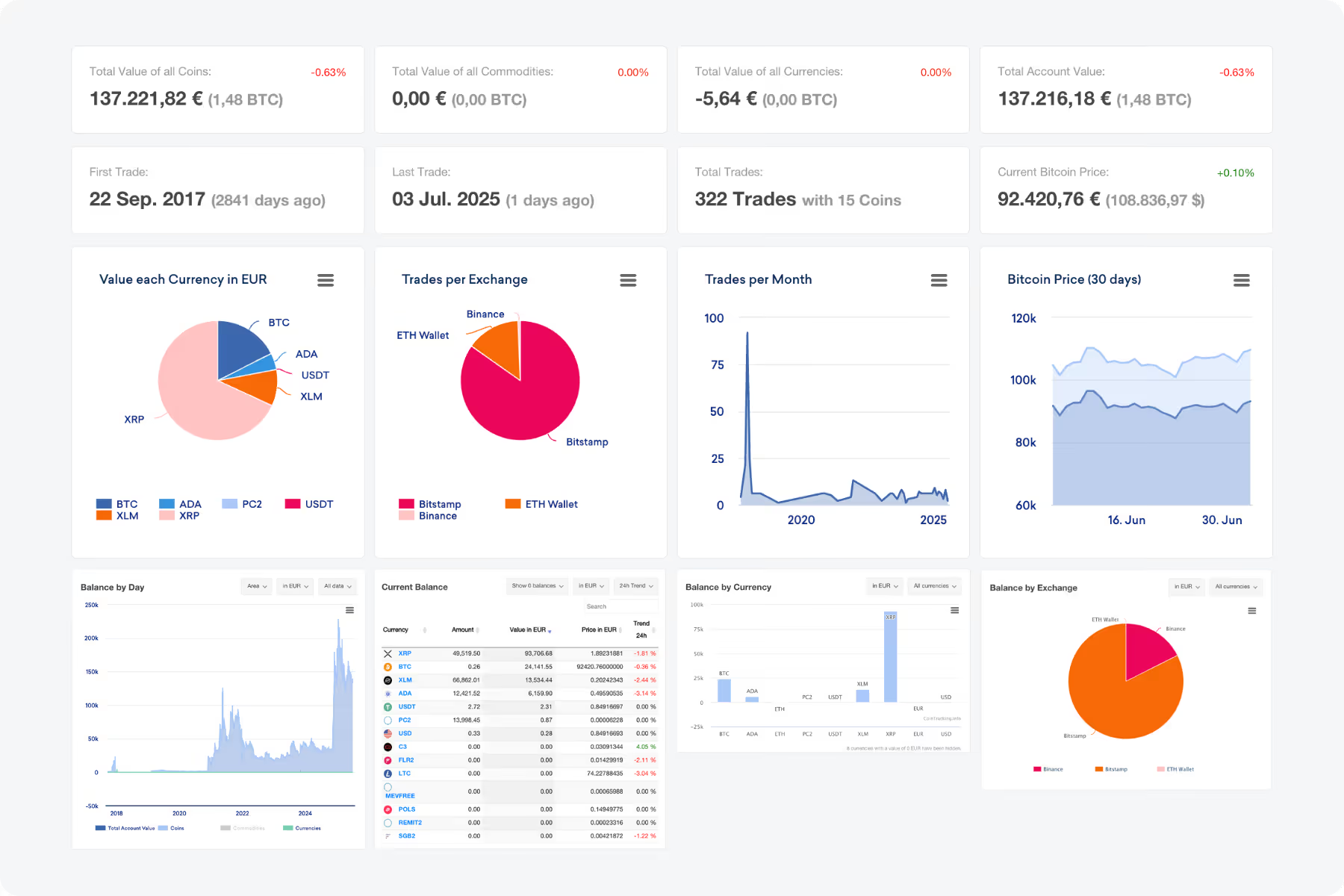
Dashboard
Your personal tax & portfolio cockpit
Track portfolio value, coin prices, trades and balances by exchange or currency in one place — and adjust your strategy with real data.
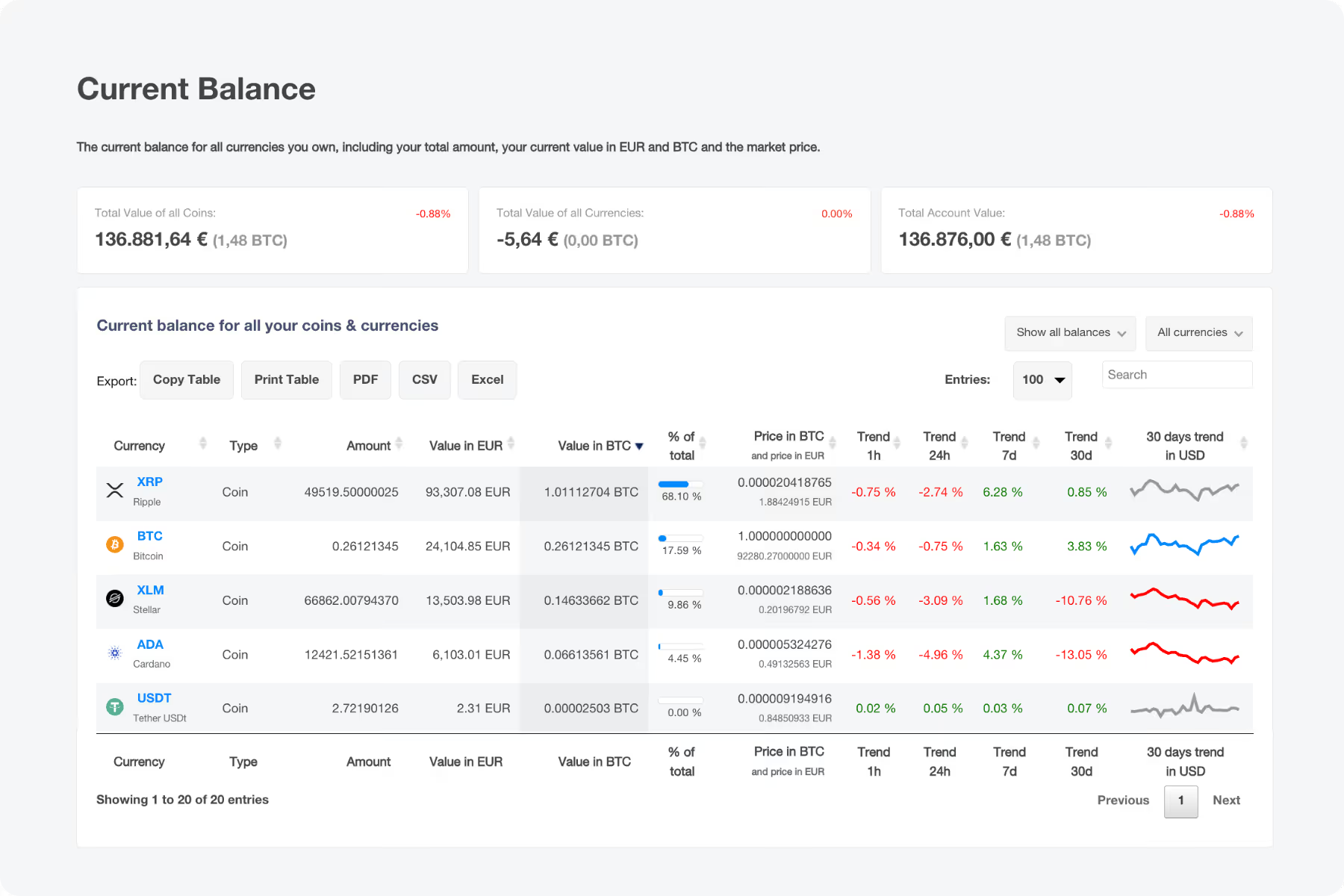
Current Balance
All your coins and their market value
See exactly how many units of each coin you hold, and what they are worth right now.
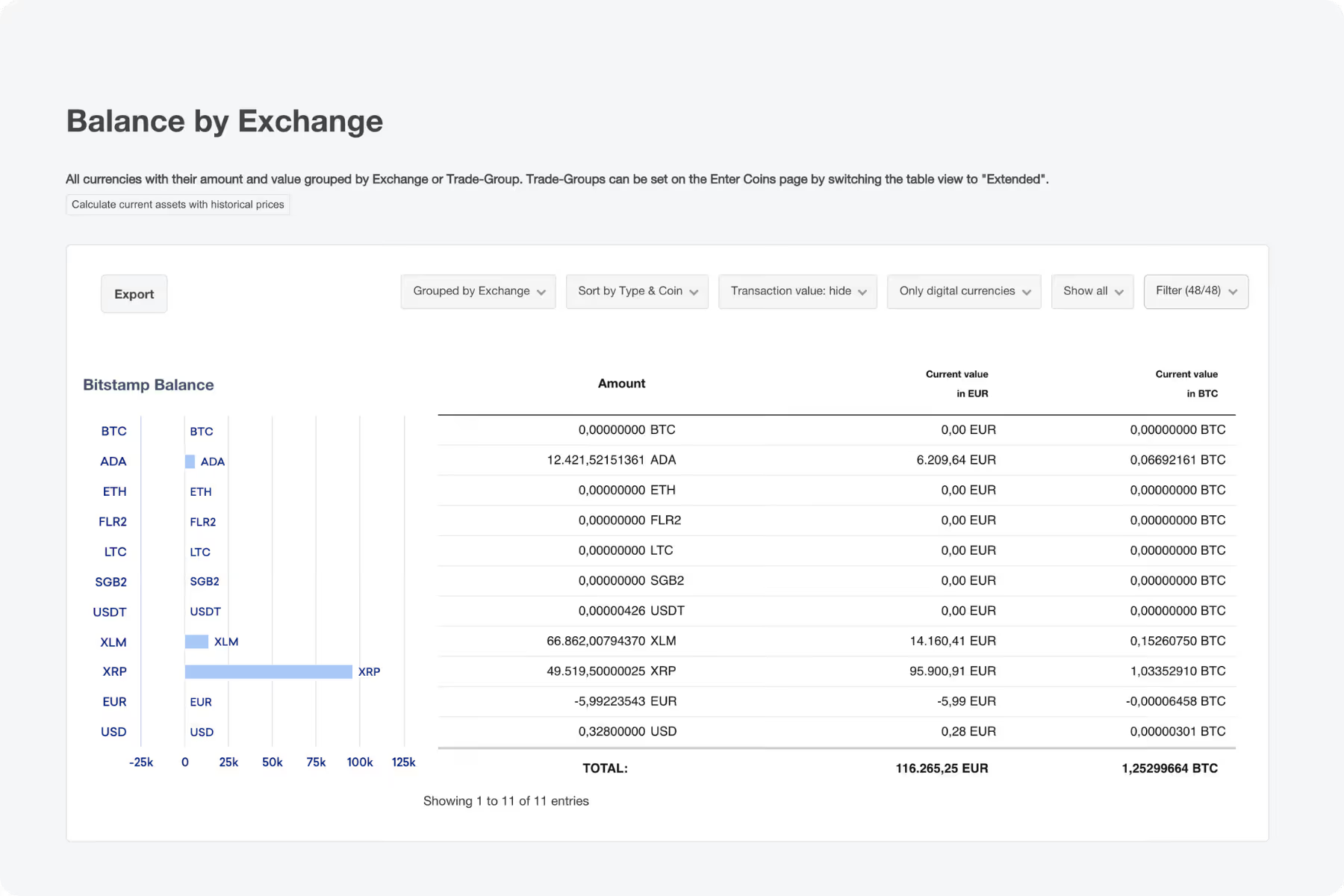
Balance by Exchange or Wallet
Holdings sorted by platform
Ideal if you spread your holdings across several exchanges and wallets.
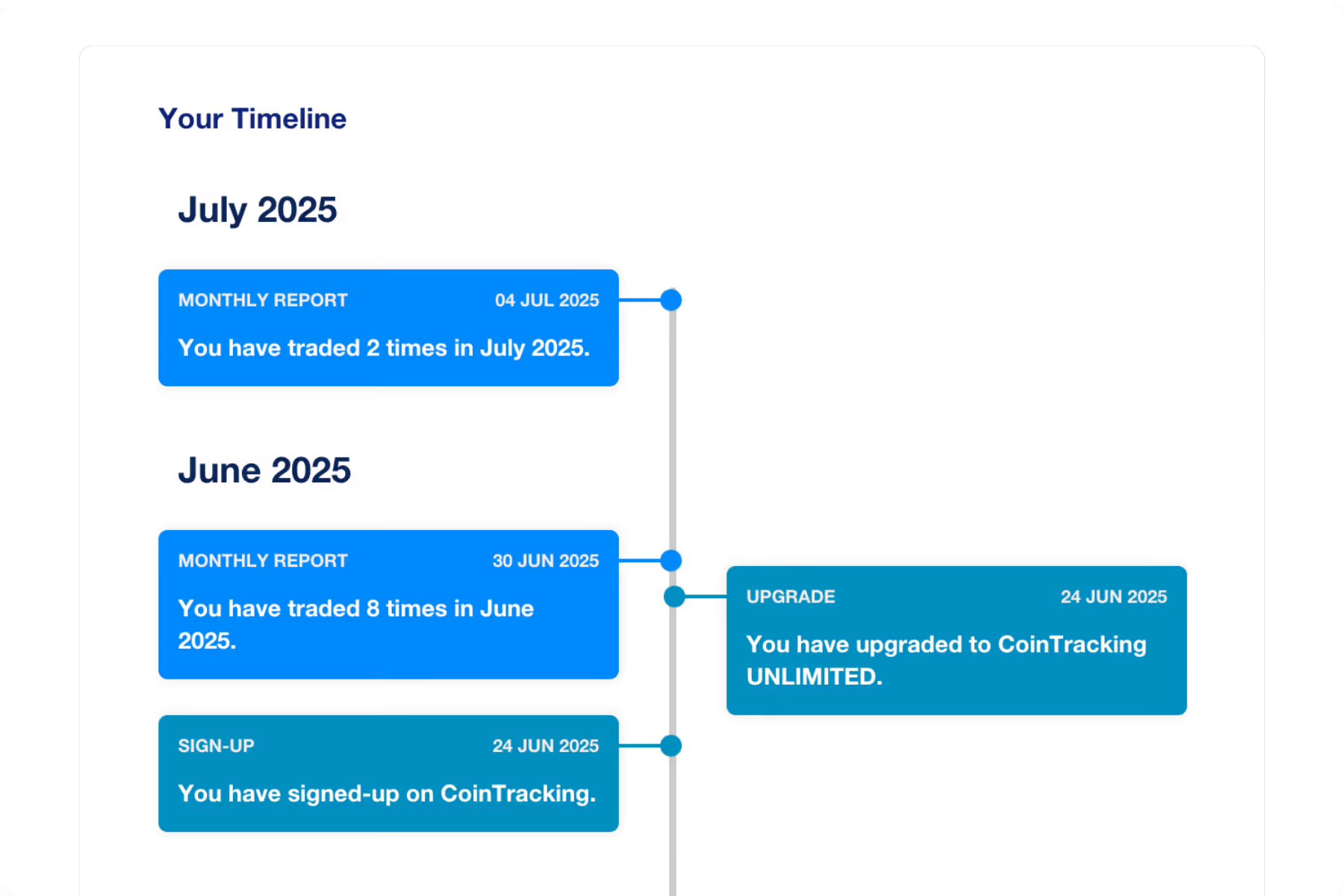
Your Personal Timeline
A chronological view of your activity
Follow your account history month by month — when you signed up, when you traded, and how your activity developed over time.


Step 3: Review Transactions & Validate Your Account
Use our built-in tools to check your data before it reaches your report.
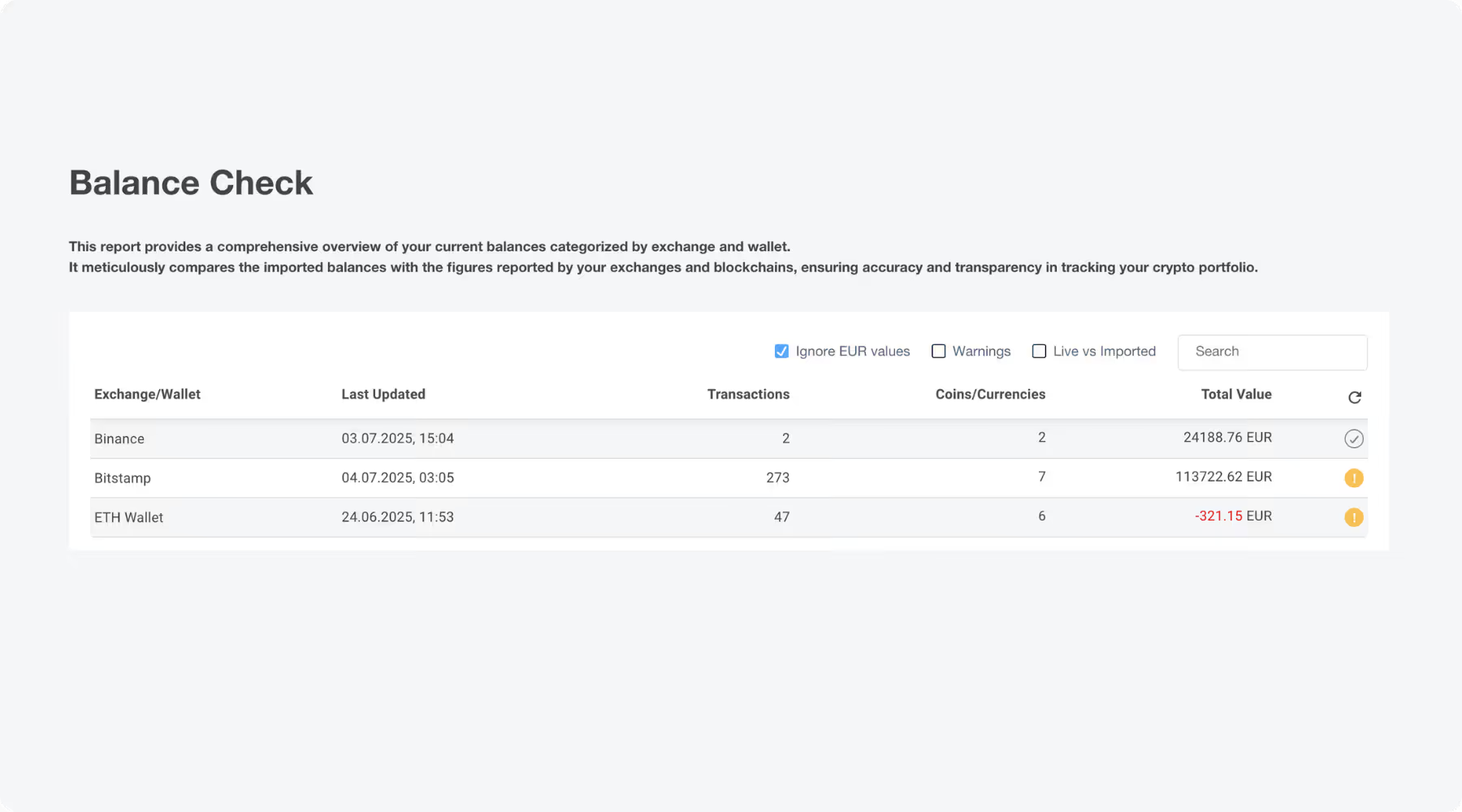
Balance Check
Do your balances match?
Compare what CoinTracking calculated against what your wallets and exchanges actually hold.
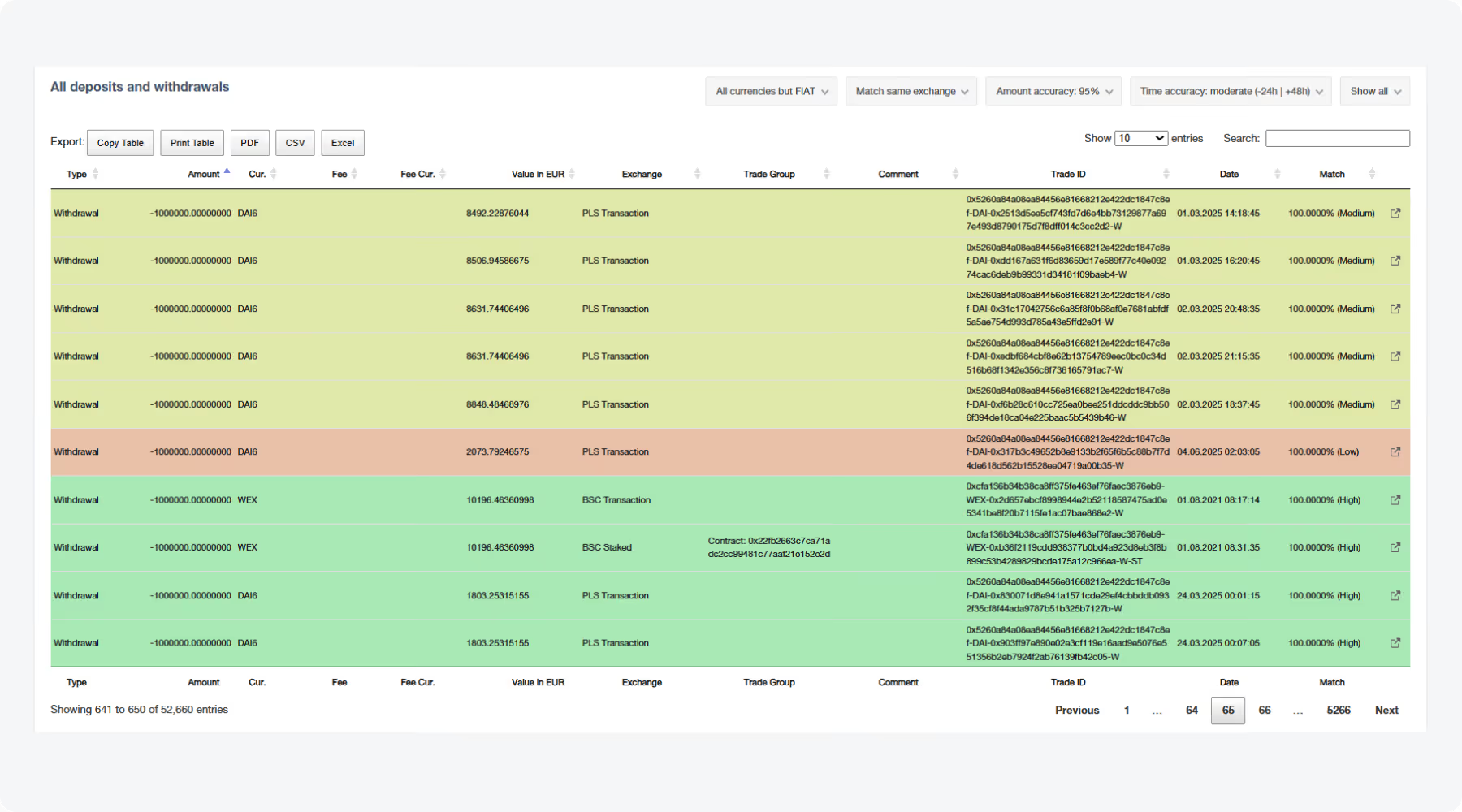
Missing or Duplicate Transactions
Nothing left out, nothing counted twice
Finds gaps and double entries in your history before they distort your report.
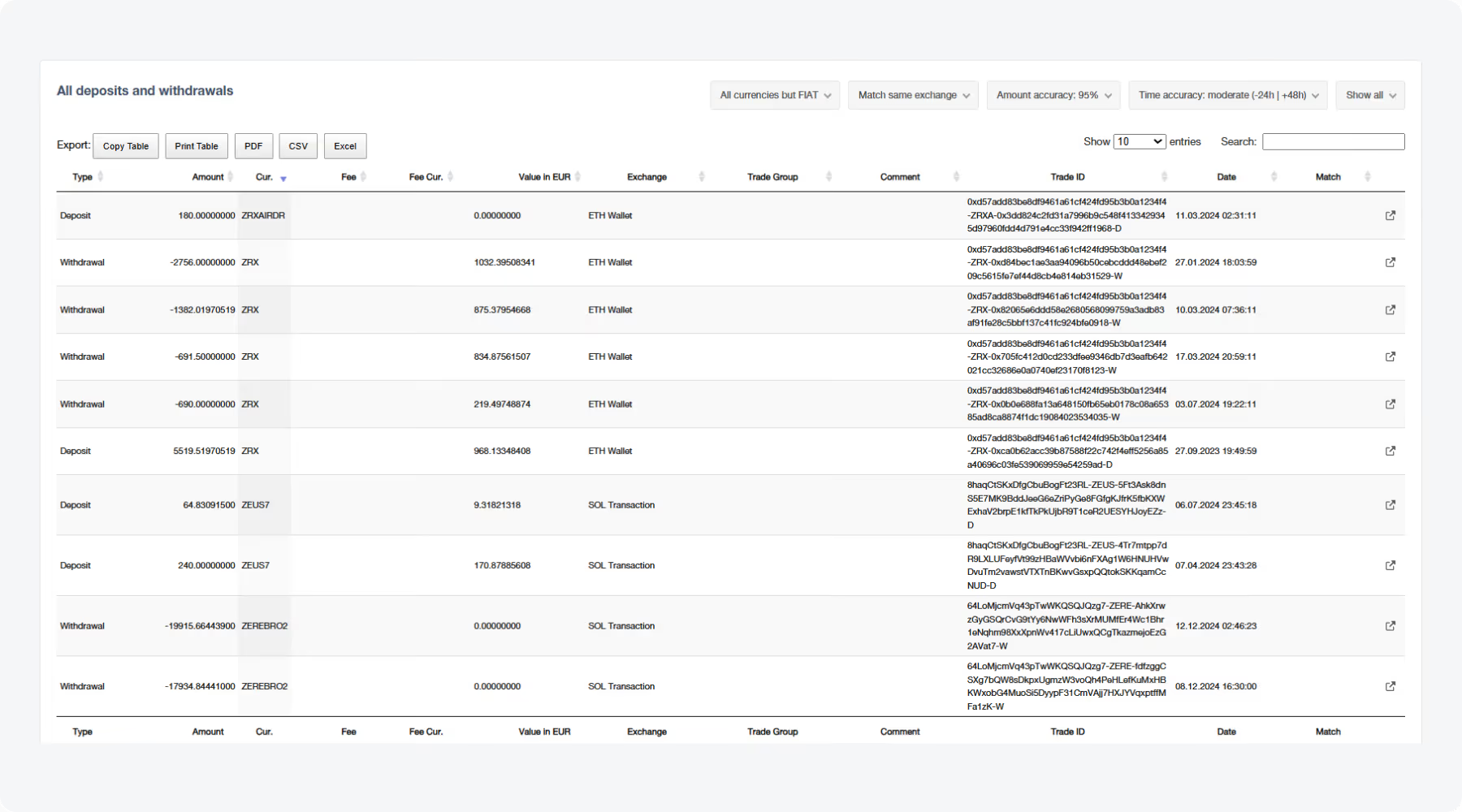
Account Validation
Fix inconsistencies fast
Helps you quickly identify and resolve inconsistencies in your data.


Step 4: Generate Your Tax Report
Your finished tax report
Detailed, tax-compliant, ready to file
Create a detailed, tax-compliant report for your crypto activity — perfect for your annual tax return or in case of a request from the tax authorities.
- Detailed and tax-compliant
- Ready for your annual tax return
- Suitable for requests from the tax authorities

Ready to get started?
Set up your account in minutes. And if you get stuck, our Knowledge Base has step-by-step guides for every exchange, wallet and blockchain we support — from setting up an API connection to understanding how your tax report is calculated.