Zoomex Taxes: How to Import Your Transactions & Generate Your Tax Report
Zoomex is a Cayman Islands-based crypto derivatives exchange offering perpetual contracts, futures trading, and copy trading. Every realised profit or loss from perpetual contracts, futures or copy trading on Zoomex is a taxable event. CoinTracking imports your full Zoomex transaction history via CSV and generates a jurisdiction-specific tax report covering all derivatives profits, losses and trading activity.

How to Import Your Zoomex Transactions into CoinTracking
Watch how to export your Zoomex transaction history as a CSV and import it into CoinTracking to generate your complete crypto tax report.
Start Your Free Zoomex Import- Every realised profit or loss from perpetual contracts, futures trading and copy trading on Zoomex is a taxable event in the year it is realised. Unrealised gains on open positions are generally not taxable until the position is closed. Tax compliance is your personal responsibility.
- CoinTracking supports Zoomex CSV import. Export your transaction history from your Zoomex account and upload it to CoinTracking. All perpetual contract P&L, futures trades and copy trading activity are supported.
- Depositing collateral to Zoomex and holding open (unrealised) positions are generally not taxable events. Only closed positions with realised profit or loss — and any funding fees received as income — trigger a tax obligation in most jurisdictions.
- Tax compliance is your responsibility. Zoomex is incorporated in the Cayman Islands and is not an EU-regulated CASP subject to DAC8. Your tax authority will not receive automatic reports from Zoomex. You are required to report all taxable gains and income from your Zoomex activity in your annual tax return.
Zoomex and Your Crypto Tax Obligations
Zoomex is a crypto derivatives exchange incorporated in the Cayman Islands. It offers perpetual contracts and futures trading on major cryptocurrencies, as well as a copy trading feature that allows users to automatically replicate the positions of experienced traders. The platform is targeted at retail and semi-professional derivatives traders worldwide.
As a Cayman Islands entity, Zoomex is not subject to EU DAC8 reporting obligations. This means your tax authority will not receive automatic reports of your Zoomex activity — you are responsible for declaring all taxable events in your annual tax return.
Zoomex users need to account for:
- Realised profits from perpetual contracts and futures (taxable in the year the position is closed)
- Realised losses from perpetual contracts and futures (may offset other gains)
- Copy trading profits (taxable when positions are closed)
- Funding fees received (may be treated as income in some jurisdictions)
Crypto Tax Basics for Zoomex Users
Zoomex is a derivatives-focused exchange used by traders globally. Here are the key tax rules that apply to Zoomex derivatives activity.
Realised derivatives profits are taxable
When you close a perpetual contract or futures position on Zoomex with a profit, that profit is generally taxable in the year the position is closed. In most jurisdictions, derivatives trading profits are treated as capital gains or, for frequent traders, as ordinary income. The taxable amount equals your realised P&L for each closed position. CoinTracking imports all Zoomex trading data and calculates realised P&L per trade.
Realised losses can offset gains
Realised losses from closed Zoomex positions can typically be used to offset other capital gains in the same tax year, reducing your overall tax liability. In Germany, losses from private disposal transactions under § 23 EStG may be offset against gains in the same year, though certain restrictions apply. CoinTracking tracks all losses and correctly applies them in your tax report.
Copy trading profits are taxable when realised
Profits from Zoomex\'s copy trading feature — where your account automatically mirrors another trader\'s positions — are treated the same as any other derivatives trading profit. Each position closed with a profit generates a taxable gain. CoinTracking imports and calculates copy trading P&L from your Zoomex CSV export and includes it in your tax report.
Funding fees
Funding fees paid or received on perpetual contracts may have tax implications. Funding fees received could be treated as income in some jurisdictions. Funding fees paid may be deductible as a trading cost in others. The treatment varies by country. CoinTracking records funding fee transactions separately so you can review and classify them appropriately.
DAC8 is not applicable to Zoomex
The EU DAC8 directive requires EU-regulated crypto-asset service providers (CASPs) to automatically report transaction data to EU tax authorities from 1 January 2026. Zoomex is incorporated in the Cayman Islands and is not regulated as a CASP under EU MiCAR. It is not subject to DAC8. Users in the EU or elsewhere must self-report all Zoomex activity — it will not be reported on their behalf.
Zoomex Taxes by Country
Key crypto tax rules for countries where Zoomex is most commonly used. Select your country for specific rates and requirements.
 Germany
- § 23 EStG: Crypto derivatives gains taxed at personal rate (up to 45%) in most cases; losses may be offset against gains in the same year
- Annual exemption: €1,000/year in private disposal gains
- Cost basis: FIFO per wallet; for derivatives, realised P&L per trade is the relevant figure
- Forms: Anlage SO
- Note: The tax treatment of crypto derivatives in Germany is complex — consult a qualified tax advisor
 United Kingdom
- Capital Gains Tax: 18% (basic) / 24% (higher) from October 2024
- Annual exempt amount: £3,000 (2024/25)
- Derivatives: HMRC treats crypto derivatives profits as capital gains or trading income depending on frequency and nature of activity
- Losses: Realised losses may be offset against other capital gains in the same year
- Authority: HMRC
 United States
- Short-term gains: Ordinary income rates (up to 37%) for positions held ≤1 year
- Long-term gains: 0%, 15% or 20% for positions held >1 year (limited applicability for frequent derivatives traders)
- Derivatives: Realised P&L on perpetual contracts and futures reported on Form 8949 / Schedule D
- Cost basis: FIFO or specific identification (IRS)
- Authority: IRS
 Australia
- Capital Gains Tax: Realised derivatives profits subject to CGT; 50% CGT discount for assets held >12 months (rarely applicable to derivatives)
- Trading income: Frequent traders may be classified as carrying on a business — profits taxed as ordinary income
- Losses: Realised losses may offset other capital gains
- Authority: ATO (Australian Taxation Office)
 Singapore
- Capital gains: Singapore does not tax capital gains; however, if trading is considered a business activity, profits are taxable as income
- Derivatives trading: Frequent trading of crypto derivatives may be classified as a business and taxed accordingly
- Consult local advice: The boundary between capital gains and trading income depends on individual facts and circumstances
- Authority: IRAS (Inland Revenue Authority of Singapore)
Tax rules change frequently. This overview is for general information only. Consult a qualified advisor for your specific situation.
Are Zoomex Transactions Taxable?
In most jurisdictions, realised profits from Zoomex perpetual contracts, futures and copy trading are taxable. Use this as a starting reference — exact rules vary by country.
Taxable Events
- Realised profit from closed perpetual contracts
- Realised profit from closed futures positions
- Copy trading profits when positions are closed
- Funding fees received (may be income in some jurisdictions)
Not Taxable
- Depositing collateral to Zoomex
- Unrealised gains on open positions
- Withdrawing collateral from Zoomex (without realising a gain)
- Holding open positions
Tax treatment varies by country. Always verify with a qualified advisor for your specific situation.
How to Calculate Your Zoomex Taxes
Active derivatives traders on Zoomex can open and close hundreds of positions throughout the year, each generating a separate realised P&L event. Manually tracking each position entry, exit, funding fee, and copy trading result — then correctly aggregating P&L for your jurisdiction — is extremely time-consuming and prone to error.
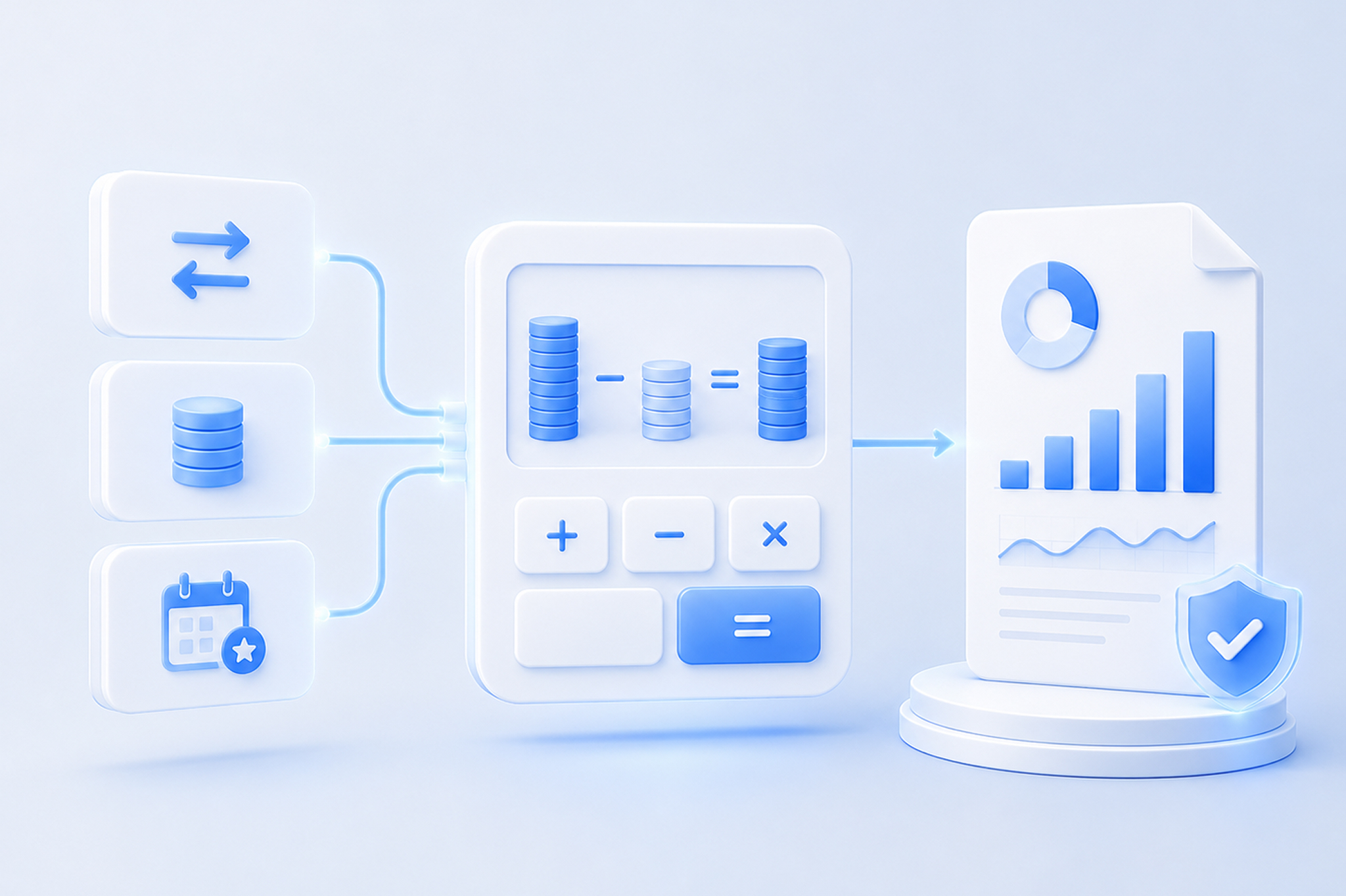
CoinTracking imports your full Zoomex transaction history from your CSV export, calculates realised P&L on every closed position, and applies your chosen cost-basis method. It then generates a jurisdiction-specific tax report — ready for your accountant or tax authority in Germany, the UK, the US, Australia and beyond.
How to Import Zoomex into CoinTracking
Three steps to import your Zoomex data and generate your tax report via CSV.
- 1
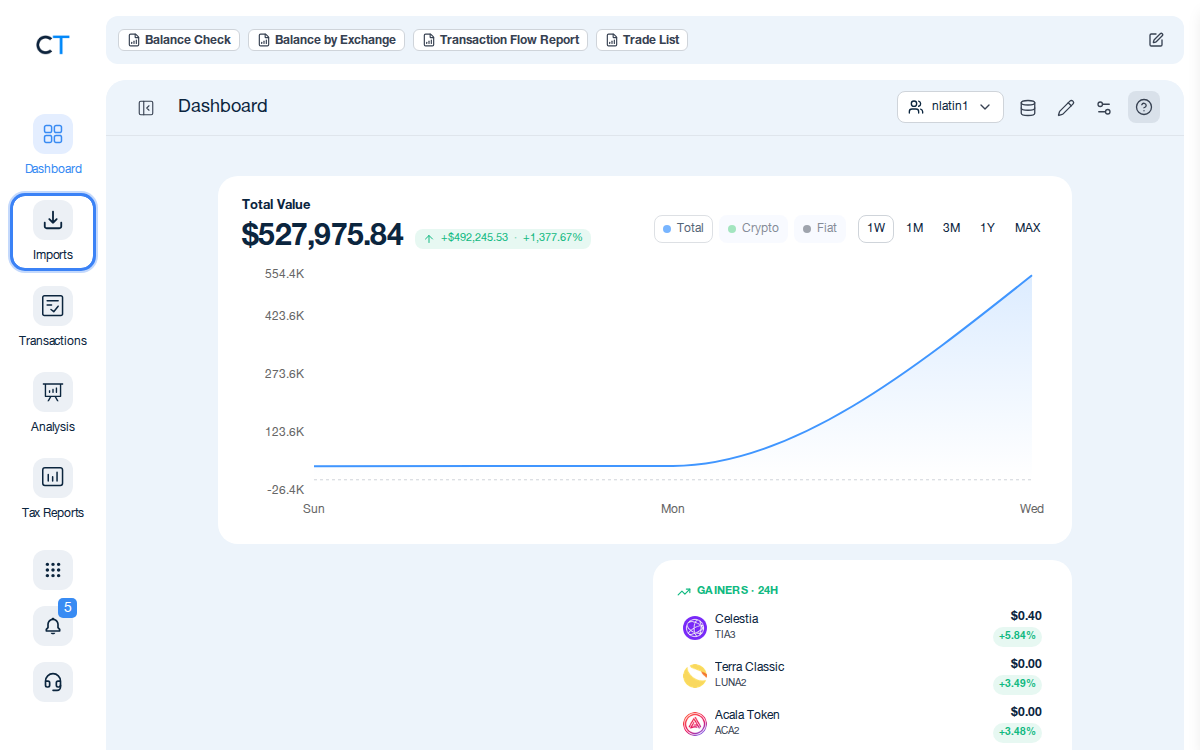
Log into CoinTracking and open Imports
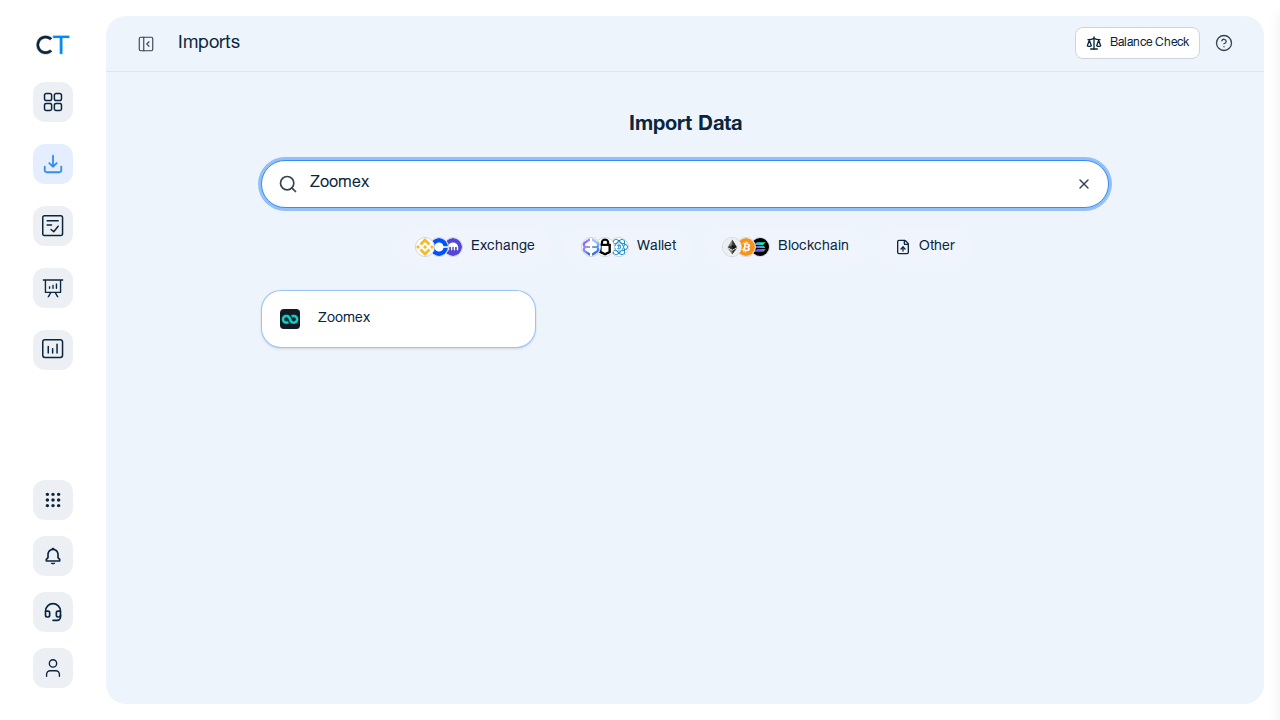
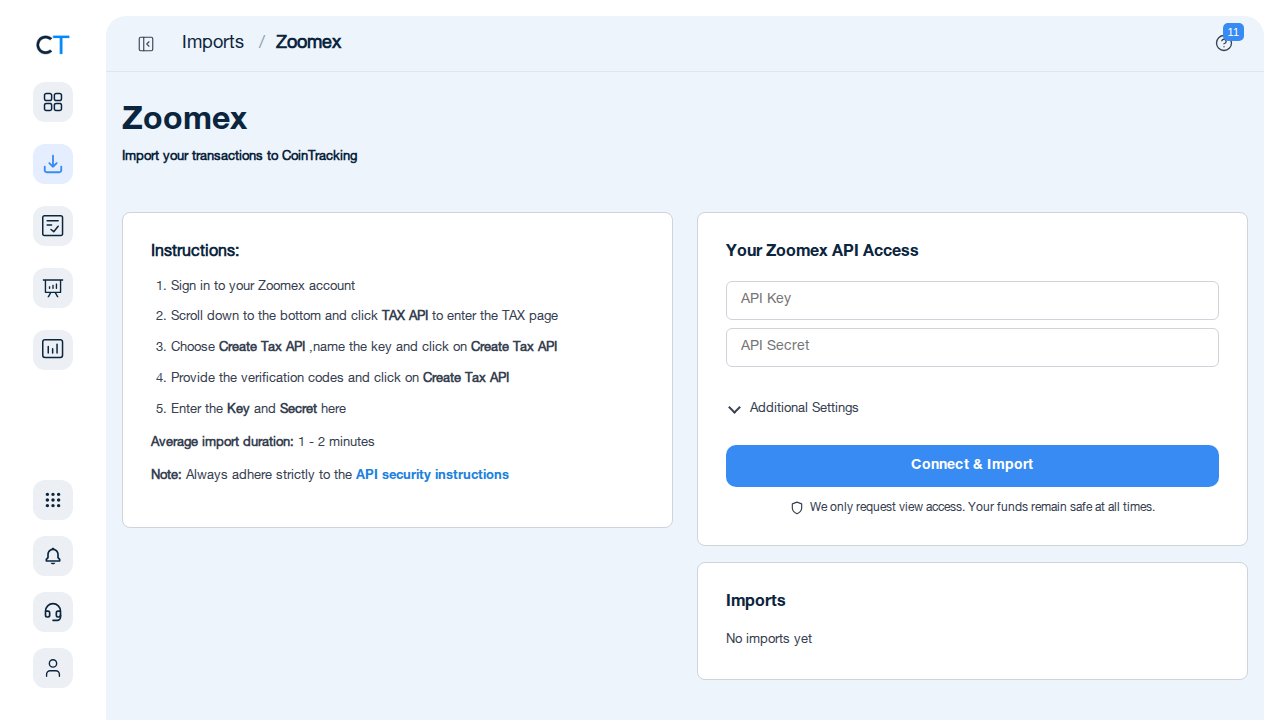
After logging in, click the Import icon in the left navigation. This is where you add all your exchanges, wallets and blockchains. Search for Zoomex to start.
- 2
Download your Zoomex CSV and upload it
Log into your Zoomex account and navigate to your account or order history to find the CSV export option. Download your full transaction history. In CoinTracking, search for Zoomex in the import search and upload the CSV. All perpetual contract P&L, futures trades and copy trading activity will be imported.
- 3
Review transactions and generate your tax report
Once your Zoomex data is imported, validate the transactions and generate a tax report for your jurisdiction. CoinTracking calculates realised gains, losses and any income from funding fees and formats the output for your country, ready for your accountant or tax return.
"CoinTracking can handle just about any complex transaction you can throw at it and the automation is a real lifesaver. Of all the tax software tools we've reviewed, CoinTracking is the most detail-oriented and has more accuracy checks in place than the competition."

How to Create Your Zoomex
Tax Report with CoinTracking
Three steps from Zoomex CSV to a tax report your accountant will accept.

Import your Zoomex transactions
Download your CSV from your Zoomex account and upload it to CoinTracking. All perpetual contract P&L, futures trades and copy trading activity are imported.

Review and validate your transactions
Open Reports → Validate Transactions. CoinTracking flags missing cost basis, missing prices and unresolved transfers so you can correct them before generating your report.

Generate your Zoomex tax report
Select your country and tax year. CoinTracking generates a jurisdiction-specific tax report in PDF or Excel format, covering all Zoomex realised gains, losses and income — ready to file or hand to your accountant.



No — Zoomex provides a transaction export (CSV). CoinTracking imports this and generates your full tax report, including profit and loss calculations across all perpetual contracts, futures trades and copy trading activity.
Log into your Zoomex account, navigate to your account or order history section and look for the export option to download your transaction history as a CSV file. Upload it to CoinTracking using the import search.
Yes — in most jurisdictions, realised profits from perpetual contracts and futures trading on Zoomex are taxable as capital gains or income, depending on the frequency of trading and your country's classification rules. CoinTracking imports all Zoomex trading data from your CSV and calculates the resulting gains and losses.
Zoomex is incorporated in the Cayman Islands and is not subject to EU DAC8 reporting obligations. Tax compliance for Zoomex activity is your personal responsibility in your country of residence.
Germany: FIFO per wallet (§ 23 EStG). US: FIFO or specific identification (IRS). UK: Section 104 pooling (HMRC). For derivatives and futures, the relevant figure is typically realised profit/loss per trade. CoinTracking supports FIFO, LIFO, HIFO and all major methods.
Copy trading profits on Zoomex — where you automatically replicate another trader's positions — are generally treated the same as any other trading profits: taxable as capital gains or income when realised. Each closed position generates a taxable profit or loss. CoinTracking imports and calculates copy trading P&L from your Zoomex CSV export.
Start Tracking Your Crypto Taxes Today
Experience why 2.2 million users trust CoinTracking — sign up today for a seven-day free trial!