Strike Taxes: How to Import Your Bitcoin Transactions & Generate Your Tax Report
Strike is a US-based Bitcoin and Lightning Network payments app. Every Bitcoin transaction on Strike — purchases, payments sent or received in BTC — is a potential taxable event. CoinTracking imports your full Strike transaction history via CSV and generates a jurisdiction-specific tax report covering all Bitcoin purchases, sales, sends and Lightning payments.

How to Import Your Strike Transactions into CoinTracking
Watch how to export your Strike transaction history as a CSV and import it into CoinTracking to generate your complete crypto tax report.
Start Your Free Strike Import- Every Bitcoin sale, Lightning payment sent in BTC, and receipt of BTC as income on Strike is a taxable event in the year it occurs. Buying Bitcoin with fiat creates cost basis but is not itself taxable. Tax compliance is your personal responsibility.
- CoinTracking supports Strike CSV import. Export your transaction history from the Strike app and upload it to CoinTracking. All Bitcoin purchases, sales, Lightning sends and receives are supported.
- Buying Bitcoin with fiat via Strike, depositing fiat to Strike, and holding Bitcoin in Strike are generally not taxable events. Only disposals — selling, spending, or sending Bitcoin — trigger a tax obligation.
- Tax compliance is your responsibility. Strike is a US-based platform and is not an EU-regulated CASP subject to DAC8. Your tax authority will not receive automatic reports from Strike. You are required to report all taxable gains and income from your Strike activity in your annual tax return.
Strike and Your Crypto Tax Obligations
Strike was founded in 2019 by Jack Mallers in Chicago, Illinois. It is a Lightning Network-first Bitcoin payments app that allows users to buy Bitcoin, send and receive payments over the Lightning Network, and convert instantly between USD and BTC. Strike is primarily available in the United States, El Salvador, and select other markets. It is Bitcoin-only and focused on fast, low-fee payments and remittances.
As a US-based company regulated by FinCEN, Strike is not subject to EU DAC8 reporting obligations. This means your tax authority will not receive automatic reports of your Strike activity — you are responsible for declaring all taxable events in your annual tax return.
Strike users need to account for:
- Bitcoin purchases (not taxable, but create acquisition records with cost basis at the market price on that date)
- Selling Bitcoin for USD/fiat (taxable disposals)
- Sending Bitcoin via Lightning Network as payment (each is a taxable disposal)
- Receiving Bitcoin as payment or income (taxable as income at fair market value on date received)
Crypto Tax Basics for Strike Users
Strike is primarily used in the United States, with growing availability in El Salvador and select other markets. Here are the key tax rules that apply to Strike activity.
Buying Bitcoin is not a taxable event — but creates cost basis
Purchasing Bitcoin with fiat currency via Strike is not itself a taxable event in most jurisdictions. However, every purchase creates an acquisition record with a cost basis set at the market price on that date. This cost basis determines your taxable gain or loss when you eventually sell or spend that Bitcoin.
Sending Bitcoin as payment is a taxable disposal
Using Bitcoin to make a payment — whether on-chain or via Lightning — is treated as a disposal of that Bitcoin. The taxable gain or loss equals the difference between the fair market value of the Bitcoin at the time of payment and your original acquisition cost. Each Lightning payment in BTC is a separate taxable event that CoinTracking tracks individually.
Receiving Bitcoin as payment is income
If you receive Bitcoin as payment for goods or services via Strike, this is generally treated as income at the fair market value of the BTC on the date it was received. The FMV at receipt becomes your cost basis for any future disposal of that Bitcoin. CoinTracking records this as an income event in your tax report.
Lightning Network sends and receives
Strike facilitates Bitcoin Lightning Network transactions. Each Lightning payment sent in BTC may constitute a Bitcoin disposal if BTC is converted or transferred. Receiving Lightning payments in BTC is income at FMV. CoinTracking imports all Strike Lightning transactions and correctly classifies each as a disposal or income event.
DAC8 is not applicable to Strike
The EU DAC8 directive requires EU-regulated crypto-asset service providers (CASPs) to automatically report transaction data to EU tax authorities from 1 January 2026. Strike is a US-based company regulated by FinCEN under US law, not by EU authorities under MiCAR. It is not subject to DAC8. Users in the EU or elsewhere must self-report all Strike activity — it will not be reported on their behalf.
Strike Taxes by Country
Key crypto tax rules for countries where Strike is most commonly used. Select your country for specific rates and requirements.
 United States
- Short-term gains: Ordinary income rates (up to 37%) for Bitcoin held ≤1 year
- Long-term gains: 0%, 15% or 20% for Bitcoin held >1 year
- Lightning payments in BTC: Each Lightning payment constitutes a taxable disposal — report on Form 8949 / Schedule D
- BTC received as income: Report as ordinary income at FMV on date received
- Cost basis: FIFO or specific identification (IRS)
- Authority: IRS
 Germany
- § 23 EStG: Bitcoin gains taxed at personal rate (up to 45%) if sold within 1 year of purchase; tax-free if held over 1 year
- Annual exemption: €1,000/year in private disposal gains
- Cost basis: FIFO per wallet
- Lightning payments: Each BTC Lightning payment is a separate disposal — must be reported on Anlage SO
- Forms: Anlage SO
 United Kingdom
- Capital Gains Tax: 18% (basic) / 24% (higher) from October 2024
- Annual exempt amount: £3,000 (2024/25)
- Cost basis: Section 104 pooling (HMRC)
- Lightning payments: BTC Lightning payments are disposals; gains reportable to HMRC
- Authority: HMRC
 El Salvador
- Bitcoin Legal Tender: Since September 2021, Bitcoin is legal tender in El Salvador under the Bitcoin Law
- Tax treatment: The tax treatment of Bitcoin gains in El Salvador depends on current local law and is subject to change. Being legal tender does not necessarily mean gains are untaxed
- Consult local advice: Consult a qualified local tax advisor for the current rules applicable to your situation
 Australia
- Capital Gains Tax: Bitcoin disposals are subject to CGT; 50% CGT discount for assets held >12 months
- Lightning payments: BTC Lightning payments are CGT events and must be reported
- Cost basis: Cost base at time of acquisition; FIFO commonly applied
- Authority: ATO (Australian Taxation Office)
Tax rules change frequently. This overview is for general information only. Consult a qualified advisor for your specific situation.
Are Strike Transactions Taxable?
In most jurisdictions, selling or spending Bitcoin from Strike is a taxable event. Use this as a starting reference — exact rules vary by country.
Taxable Events
- Selling Bitcoin for USD/fiat on Strike
- Spending/sending Bitcoin as payment (each is a BTC disposal)
- Lightning payments sent in BTC
- Receiving BTC as payment or income (income at FMV)
Not Taxable
- Buying Bitcoin with fiat via Strike
- Depositing fiat to Strike
- Receiving Lightning payment in USD (fiat)
- Holding Bitcoin in Strike
Tax treatment varies by country. Always verify with a qualified advisor for your specific situation.
How to Calculate Your Strike Taxes
Strike users who frequently use Bitcoin Lightning payments can accumulate many small BTC disposals throughout the year, each with a different cost basis. Manually tracking each payment, its BTC value at time of send, and the original acquisition cost — then calculating FIFO gain/loss for each — is time-consuming and error-prone.
CoinTracking imports your full Strike transaction history from your CSV export, assigns the correct acquisition date and market price to every BTC purchase, and applies your chosen cost-basis method (FIFO, LIFO, HIFO). It then generates a jurisdiction-specific tax report — ready for your accountant or tax authority in the US, Germany, UK, Australia and beyond.
How to Import Strike into CoinTracking
Three steps to import your Strike data and generate your tax report via CSV.
- 1
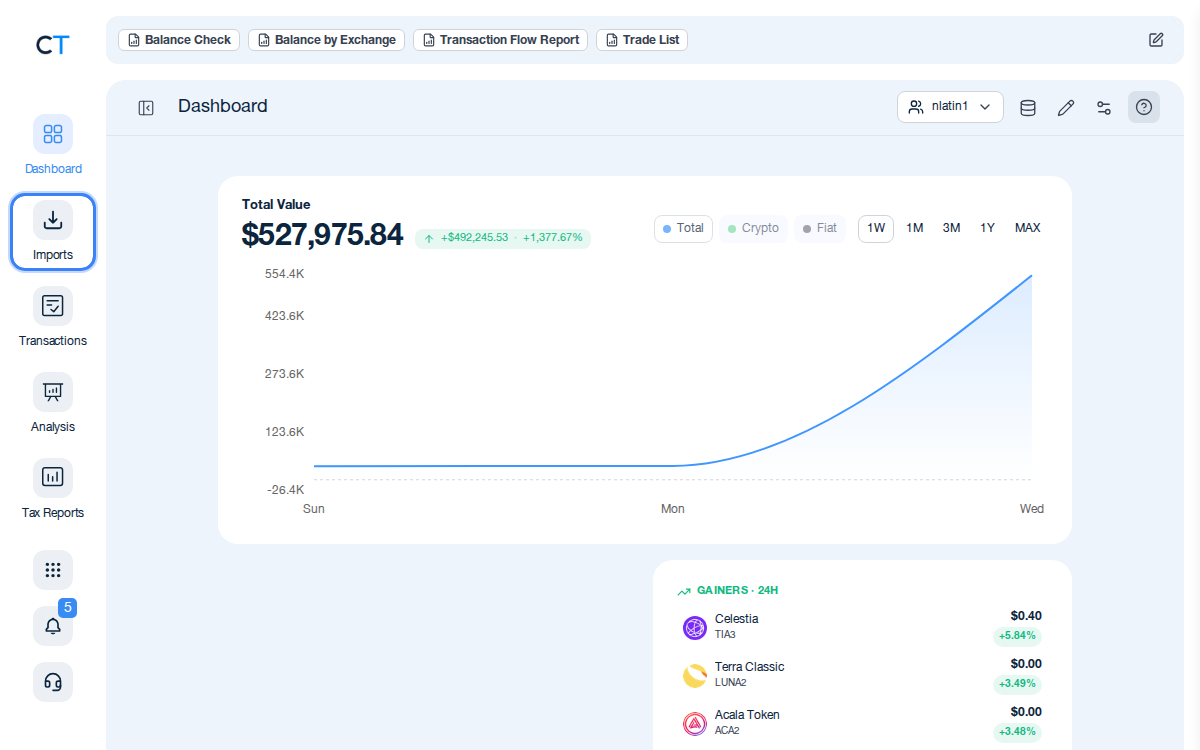
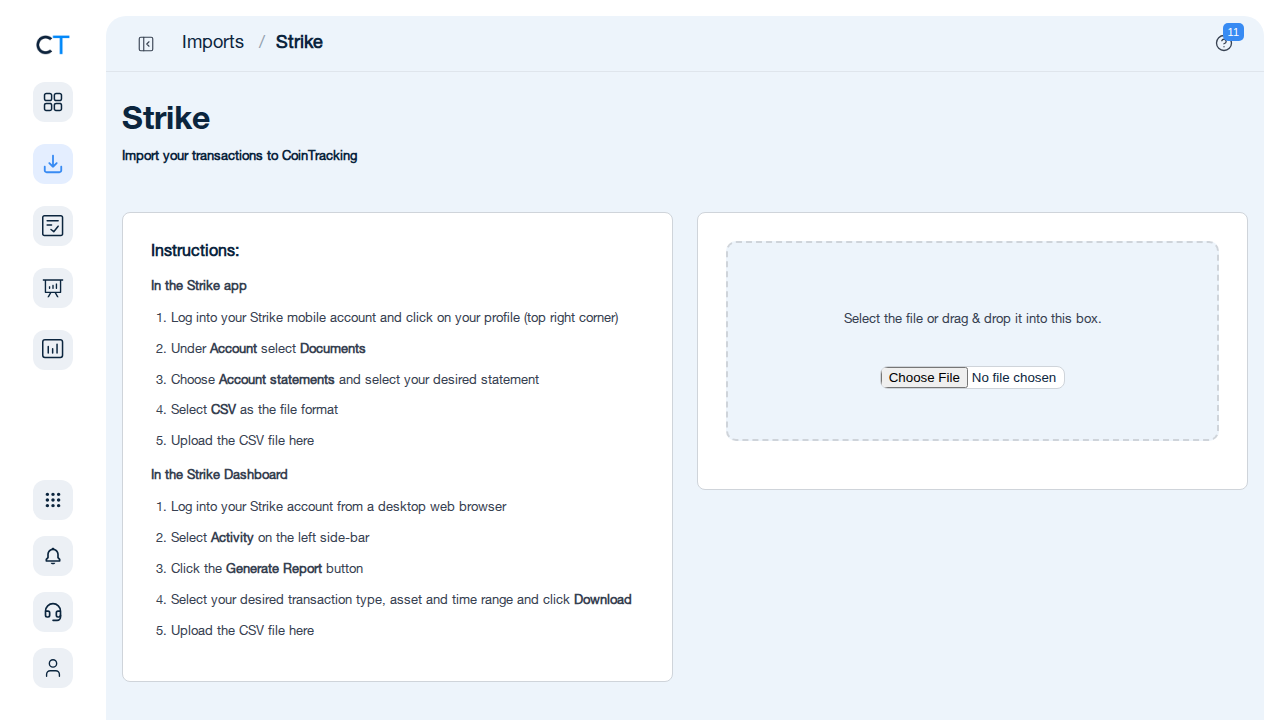
Log into CoinTracking and open Imports
After logging in, click the Import icon in the left navigation. This is where you add all your exchanges, wallets and blockchains. Search for Strike to start.
- 2
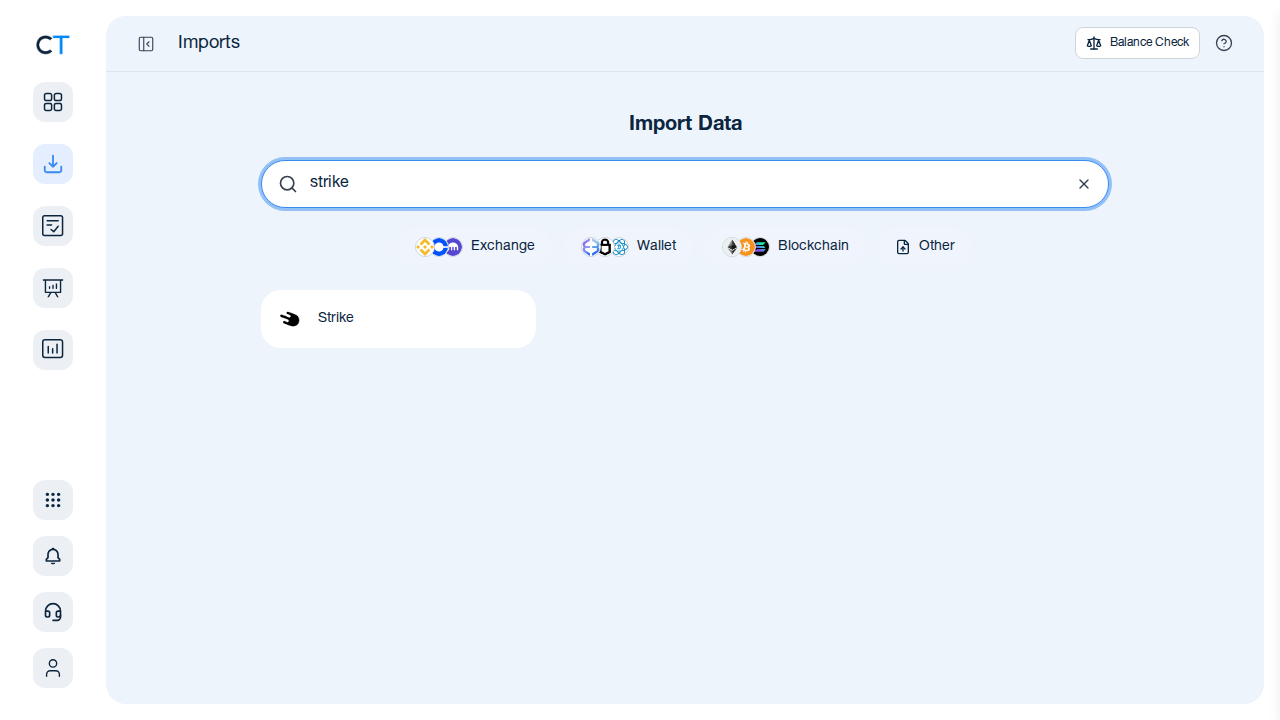
Download your Strike CSV and upload it
In the Strike app, go to Settings → Activity → Export. Download your transaction history as a CSV file. In CoinTracking, search for Strike in the import search and upload the CSV. All Bitcoin purchases, sales, Lightning sends and receives will be imported.
- 3
Review transactions and generate your tax report
Once your Strike data is imported, validate the transactions and generate a tax report for your jurisdiction. CoinTracking calculates capital gains, income and losses — including each Lightning payment disposal — and formats the output for your country, ready for your accountant or tax return.
"CoinTracking can handle just about any complex transaction you can throw at it and the automation is a real lifesaver. Of all the tax software tools we've reviewed, CoinTracking is the most detail-oriented and has more accuracy checks in place than the competition."

How to Create Your Strike
Tax Report with CoinTracking
Three steps from Strike CSV to a tax report your accountant will accept.

Import your Strike transactions
Download your CSV from the Strike app (Settings → Activity → Export) and upload it to CoinTracking. All Bitcoin purchases, sales, Lightning sends and receives are imported.

Review and validate your transactions
Open Reports → Validate Transactions. CoinTracking flags missing cost basis, missing prices and unresolved transfers so you can correct them before generating your report.

Generate your Strike tax report
Select your country and tax year. CoinTracking generates a jurisdiction-specific tax report in PDF or Excel format, covering all Strike gains, losses and income — ready to file or hand to your accountant.


No — Strike provides a transaction export (CSV). CoinTracking imports this and generates your full tax report, including cost-basis tracking across all Bitcoin purchases and disposals.
In the Strike app, go to Settings → Activity → Export. Download your transaction history as a CSV file and upload it to CoinTracking using the import search.
Yes — if you use Bitcoin to make a Lightning Network payment, this constitutes a Bitcoin disposal in the year it occurs, in most jurisdictions. The gain or loss equals the BTC's current value at time of payment minus your original acquisition cost (FIFO). CoinTracking imports all Strike Lightning transactions and calculates the gain/loss per transaction.
Strike is a US-based company regulated by FinCEN. It is not subject to EU DAC8. Under US law, Strike may file FinCEN reports for certain transactions. Tax compliance for Strike activity is your personal responsibility in your country of residence.
US: FIFO or specific identification (IRS). Germany: FIFO per wallet (§ 23 EStG). UK: Section 104 pooling (HMRC). CoinTracking supports FIFO, LIFO, HIFO and all major methods.
Yes — in most jurisdictions, receiving BTC as payment for goods or services is taxable income at the fair market value on the date of receipt. The FMV at receipt also becomes your cost basis for any future disposal. CoinTracking records this as an income event in your tax report.
Start Tracking Your Crypto Taxes Today
Experience why 2.2 million users trust CoinTracking — sign up today for a seven-day free trial!