Pionex Taxes: How to Import Your Bot Trading Transactions & Generate Your Tax Report
Pionex is a Singapore-based exchange specializing in automated grid and DCA trading bots. Each bot trade is a separate taxable event — and Pionex bots can execute hundreds of trades per day. CoinTracking imports your complete Pionex transaction history via API or CSV and calculates your tax position across all bot types, spot trades and income.

How to Import Your Pionex Transactions into CoinTracking
Watch how to connect your Pionex account to CoinTracking via API key or CSV upload and generate your complete crypto tax report in minutes.
Start Your Free Pionex Import- Every bot-executed trade, spot trade and income event on Pionex is a taxable event in the year it occurs. Grid and DCA bots can generate hundreds or thousands of taxable events per year. Tax compliance is your personal responsibility.
- CoinTracking supports both Pionex API and CSV import. Connect via API key for automatic syncing of all bot and spot trades, or upload a manually exported CSV. All transaction types are supported.
- Transferring crypto between your own wallets is generally not a taxable event. Only crypto disposals — selling, trading or spending — trigger a tax obligation. Deposits and withdrawals to/from Pionex are typically non-taxable transfers.
- Tax compliance is your responsibility. Pionex is a Singapore-based platform and is not an EU-regulated CASP subject to DAC8. Your tax authority will not receive automatic reports from Pionex. You are required to report all taxable gains and income from your Pionex activity in your annual tax return.
Pionex Bot Trading and Your Crypto Tax Obligations
Pionex is a cryptocurrency exchange founded in 2019 and headquartered in Singapore, regulated by the Monetary Authority of Singapore (MAS) under the Payment Services Act. It is best known for offering free built-in trading bots — including grid bots, DCA bots, smart trade bots and more — that execute trades automatically on behalf of users.
Pionex serves users globally and is not currently subject to EU DAC8 automatic reporting obligations. This means your tax authority will not receive automatic reports of your Pionex activity — you are responsible for declaring all taxable events in your annual return.
Every bot-executed trade is a taxable event — each buy and sell leg of a bot cycle counts as a separate disposal. High-frequency bot trading can create hundreds or thousands of taxable events per year. Pionex traders need to account for:
- Every bot buy/sell execution (grid bot, DCA bot, smart trade, etc.)
- Spot trades (crypto to crypto or crypto to fiat disposals)
- Staking rewards, earn interest and referral bonuses (generally income)
- Deposits and withdrawals (to/from other exchanges and wallets)

Crypto Tax Basics for Pionex Bot Traders
Pionex bot traders can accumulate very large transaction volumes that are difficult to calculate manually. Here are the key tax rules that apply in major jurisdictions.
Each bot trade is a taxable event
In most countries, each buy and sell execution made by a Pionex bot is treated as a separate taxable event. A grid bot, for example, continuously buys low and sells high — each sell leg generates a taxable gain or loss based on the cost basis of the crypto sold. With bots running 24/7, this can produce hundreds or thousands of taxable events per year. CoinTracking imports and tracks all of these automatically.
Pionex staking and earn income
Staking rewards, lending income and earn product returns from Pionex are generally treated as income in the year received, taxed at your marginal income tax rate in most countries. The market value of the reward at the date of receipt forms your cost basis for any future disposal.
DAC8 and Pionex
The EU DAC8 directive requires EU-regulated crypto-asset service providers (CASPs) to automatically report transaction data to EU tax authorities from 1 January 2026. Pionex is incorporated in Singapore and is not subject to DAC8. EU residents trading on Pionex must self-report all activity — it will not be reported on their behalf by the exchange.
Pionex Taxes by Country
Key crypto tax rules for countries where Pionex is most commonly used. Select your country for specific rates and requirements.
 Germany
- § 23 EStG: Spot and bot trade gains taxed at personal rate (up to 45%) if sold within 1 year; tax-free if held over 1 year
- Annual exemption: €1,000/year in private disposal gains
- Cost basis: FIFO per wallet — applies individually to each bot trade cycle
- Staking income: § 22 EStG — taxed as miscellaneous income at personal rate
- Forms: Anlage SO (spot and bot trades)
 Austria
- 27.5% KeSt: Flat rate on crypto disposals (assets acquired after 28 Feb 2021)
- Authority: Finanzamt Austria
 United Kingdom
- Capital Gains Tax: 18% (basic) / 24% (higher) from October 2024
- Annual exempt amount: £3,000 (2024/25)
- Cost basis: Section 104 pooling (HMRC)
- Authority: HMRC
 United States
- Short-term gains: Ordinary income rates (up to 37%) for crypto held ≤1 year
- Long-term gains: 0%, 15% or 20% for crypto held >1 year
- Cost basis: FIFO or specific identification
- Authority: IRS
 Singapore
- No capital gains tax for private investors in Singapore
- Trading income: Professional or frequent traders (including active bot users) may be taxed as trading income
- Authority: IRAS (Inland Revenue Authority of Singapore)
 Australia
- CGT discount: 50% CGT discount for assets held over 12 months (individuals)
- Note: High-frequency bot trading may reduce eligibility for CGT discount on individual trades
- Authority: ATO (Australian Taxation Office)
 Netherlands
- Box 3 wealth tax: Crypto declared as assets; effective rate ~1.2–2% of year-end value
- No realised capital gains tax for private investors
- Authority: Belastingdienst
Tax rules change frequently. This overview is for general information only. Consult a qualified advisor for your specific situation.
Are Pionex Transactions Taxable?
In most jurisdictions, every Pionex bot trade execution, spot trade and income event is a taxable event. Use this as a starting reference — exact rules vary by country.
Taxable Events
- Selling crypto for fiat on Pionex
- Every bot buy/sell execution (grid, DCA, smart trade)
- Trading one crypto for another
- Staking rewards and earn income (as income)
- Referral bonuses (as income)
Not Taxable
- Depositing crypto to Pionex
- Withdrawing crypto to own wallet
- Holding crypto in Pionex account
- Internal bot positions (before a leg completes)
Tax treatment varies by country. Bot trades each count as individual taxable events — CoinTracking handles this automatically. Verify with a qualified advisor for your specific situation.
How to Calculate Your Pionex Bot Trading Taxes
Pionex bot traders face a unique tax challenge: a single grid bot running for a year can generate thousands of individual buy and sell events, each one a separate taxable transaction. Calculating the gain or loss on each leg manually is effectively impossible at scale.
CoinTracking connects directly to Pionex via API to automatically import your complete transaction history — including all bot trade executions, spot trades, earn income and transfers. It applies your chosen cost-basis method (FIFO, LIFO, HIFO), draws on historical market prices, and generates a jurisdiction-specific tax report ready for your accountant or tax authority.
How to Import Pionex into CoinTracking
Three steps to import your Pionex data and generate your tax report — via API or CSV.
- 1
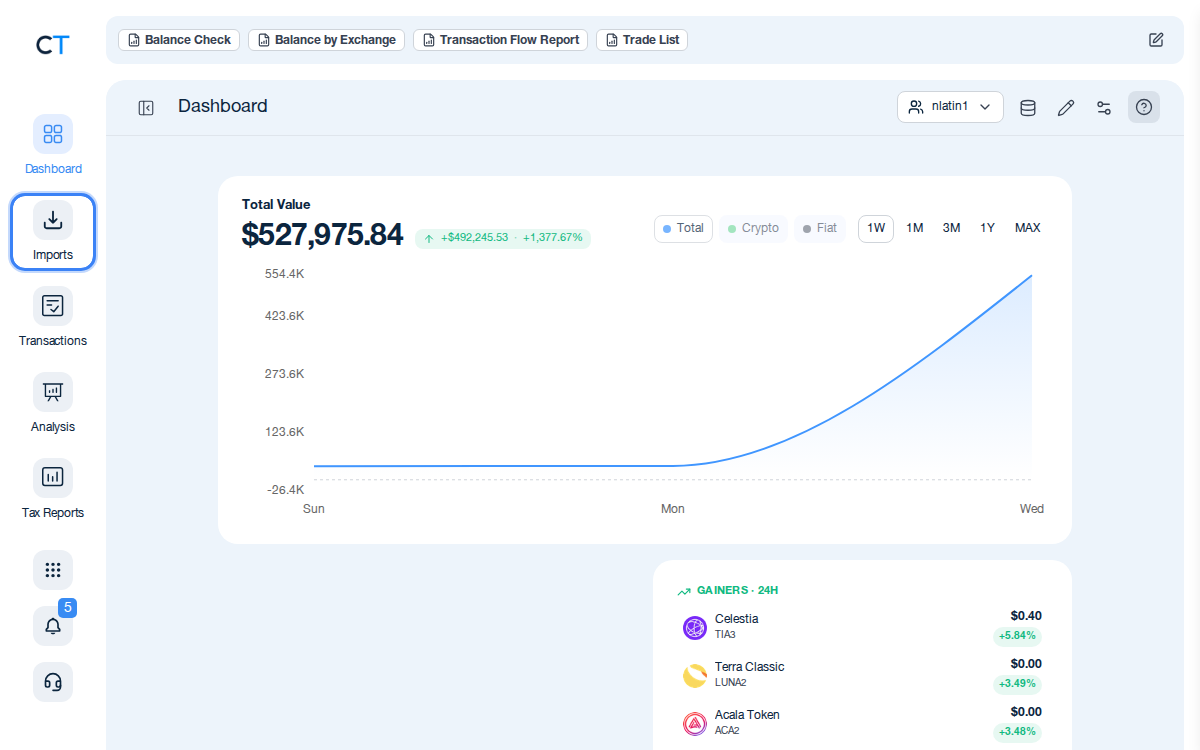
Log into CoinTracking and open Imports
After logging in, click the Import icon in the left navigation. This is where you add all your exchanges, wallets and blockchains. Search for Pionex to start.
- 2
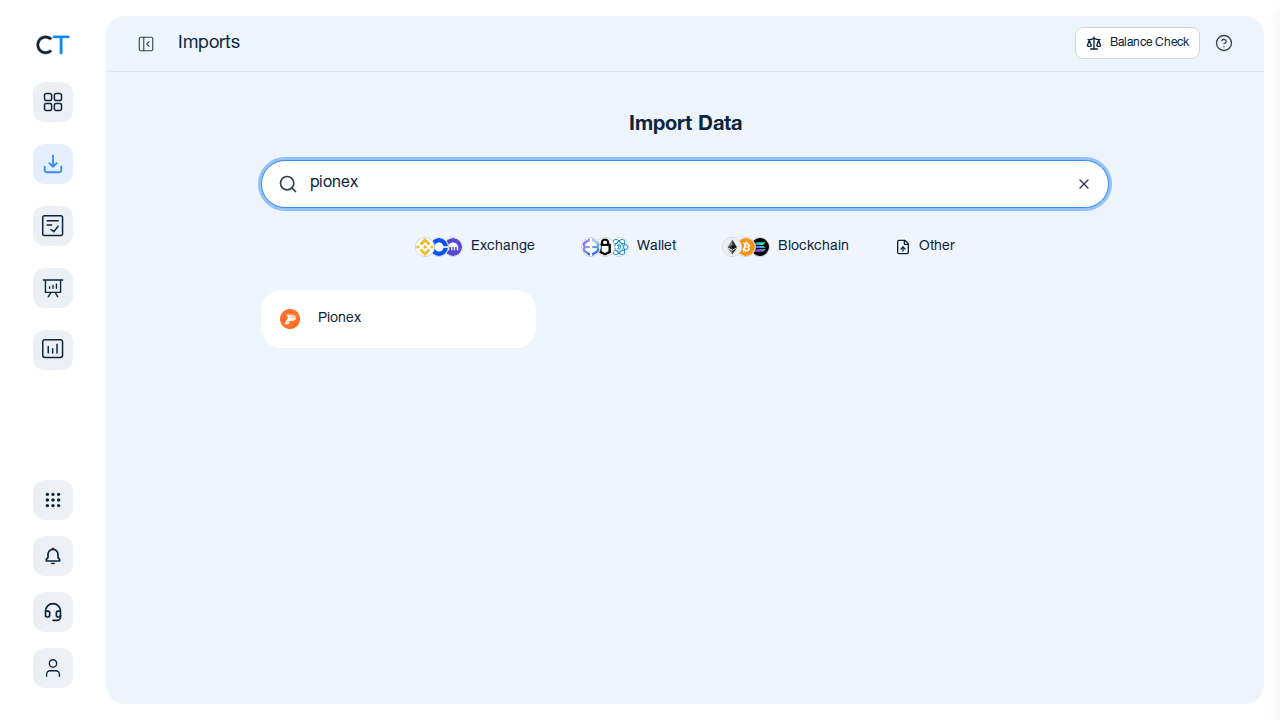
Connect via API key or upload your Pionex CSV
In your Pionex account settings, generate a read-only API key and paste it into CoinTracking. Alternatively, export your transaction history as CSV from Pionex (Orders → Trade History → Export) and upload it. Both methods import your complete bot trade, income and transfer history.
- 3
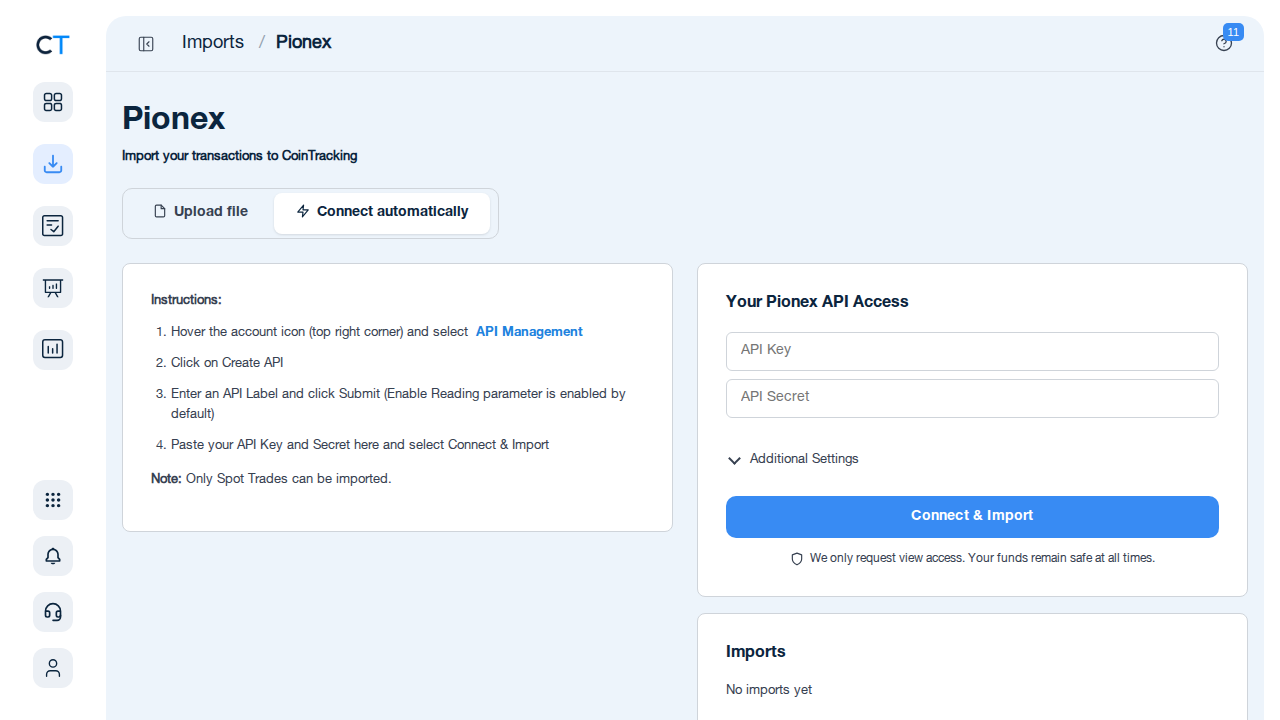
Review transactions and generate your tax report
Once your Pionex data is imported, validate the transactions and generate a tax report for your jurisdiction. CoinTracking calculates capital gains, income and losses across all your bot and spot trades and formats the output for your country — ready for your accountant or tax return.
"CoinTracking can handle just about any complex transaction you can throw at it and the automation is a real lifesaver. Of all the tax software tools we've reviewed, CoinTracking is the most detail-oriented and has more accuracy checks in place than the competition."

How to Create Your Pionex
Tax Report with CoinTracking
Three steps from Pionex API or CSV to a tax report your accountant will accept.

Import your Pionex transactions
Connect CoinTracking to Pionex via read-only API key or upload a CSV export. All bot trade executions, spot trades, earn income, deposits and withdrawals are imported automatically.

Review and validate your transactions
Open Reports → Validate Transactions. CoinTracking flags missing cost basis, missing prices and unresolved transfers so you can correct them before generating your report.

Generate your Pionex tax report
Select your country and tax year. CoinTracking generates a jurisdiction-specific tax report in PDF or Excel format, covering all Pionex bot gains, spot gains, income and losses — ready to file or hand to your accountant.





No, but CoinTracking imports your Pionex data via API or CSV and generates a complete tax report. CoinTracking calculates your capital gains, income and other taxable events across all bot types, spot trades and income, producing a ready-to-file report for your jurisdiction.
Log into Pionex, go to Orders → Trade History, and export your transaction history as a CSV file. Pionex also supports API key (read-only) access — you can connect CoinTracking directly to your Pionex account for automatic syncing of your complete transaction history, including all bot trades, spot trades and withdrawals.
Yes — each executed buy/sell leg of a bot trade is a separate taxable event in the year it occurs. Grid bots can generate hundreds or thousands of taxable events per year. CoinTracking imports your complete Pionex transaction history and handles all bot trade types automatically, so every taxable event is correctly accounted for.
Pionex is incorporated in Singapore and is not an EU-regulated CASP. It is not subject to DAC8 automatic reporting obligations. Your tax authority will not receive automatic reports from Pionex. Tax compliance for all your Pionex activity is your personal responsibility in your country of residence.
Germany requires FIFO per wallet (§ 23 EStG); the UK uses Section 104 pooling (HMRC); in the US, FIFO or specific identification are permitted. CoinTracking supports FIFO, LIFO, HIFO and a range of other methods and applies the correct rules for your selected country.
Yes. CoinTracking supports Pionex API integration. Generate a read-only API key in your Pionex account settings and add it to CoinTracking's import area. CoinTracking will automatically sync your full transaction history including all bot trades. You can also upload a manually exported CSV if you prefer not to use API access.
Start Tracking Your Crypto Taxes Today
Experience why 2.2 million users trust CoinTracking — sign up today for a seven-day free trial!